


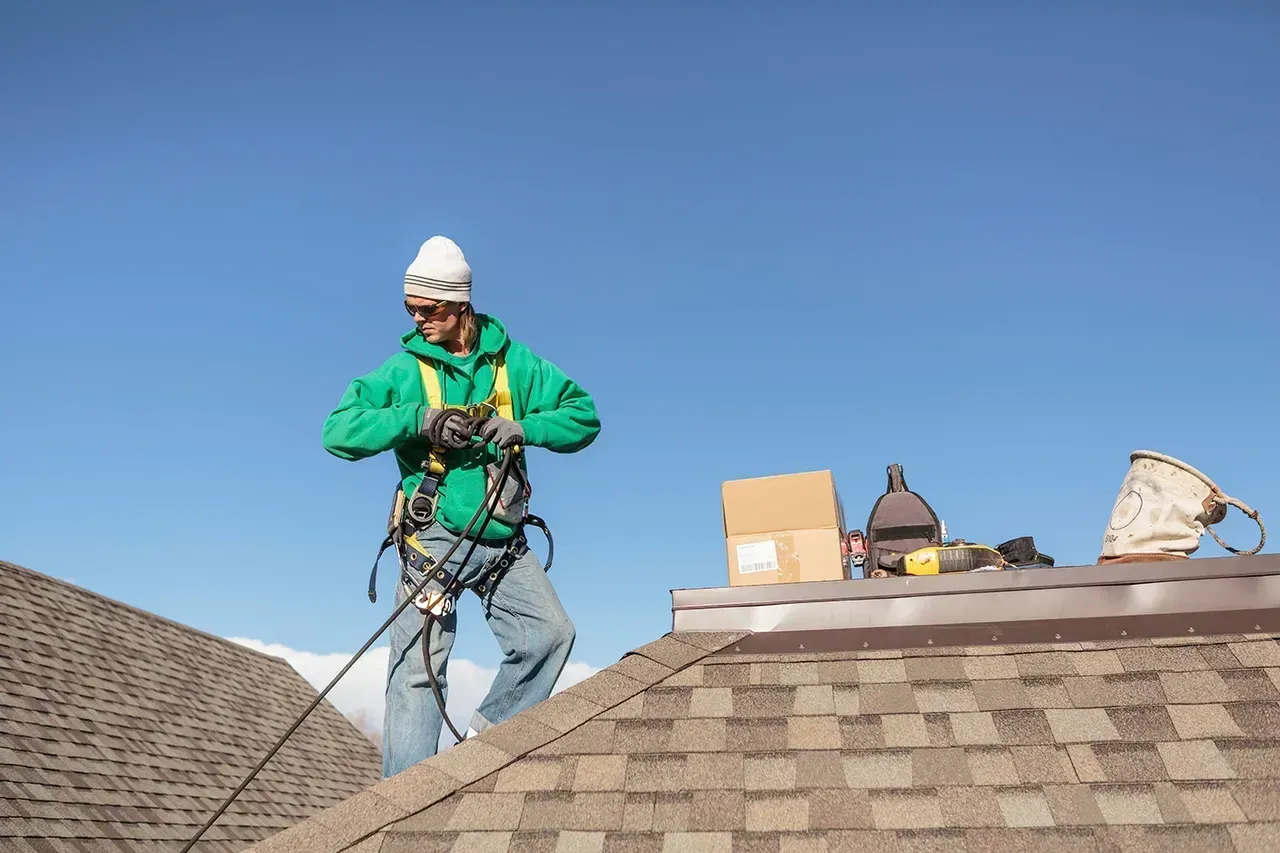
Chimney inspections often require working at height—on sloped roofs, near roof edges, and around unstable surfaces. These conditions place chimney inspectors among the trades with the highest risk for serious injury or fatal falls. For this reason, roof safety is not optional — it is a critical professional and legal responsibility. OSHA and Fall Hazards on Roofs- When fall protection IS required: According to Occupational Safety and Health Administration (OSHA), falls are the leading cause of death in construction and inspection-related work. OSHA regulations require fall protection whenever a worker is exposed to a fall hazard of 6 feet or more above a lower level (29 CFR 1926.501). OSHA generally requires fall protection when any of the following are true: The fall height is 6 feet or more The roof slope is greater than 4:12 You are exposed to an unprotected edge The task is more than momentary or requires two hands, leaning, or repositioning The work is planned (not incidental or unavoidable) In these cases, guardrails, a personal fall-arrest system, or another approved method is required. For chimney inspectors, this often includes: Steep-slope or slippery roofs Roof edges without guardrails Fragile roofing materials Wet, icy, or debris-covered surfaces Working on a roof without a harness or other fall-protection system significantly increases the risk of catastrophic injury, including traumatic brain injury, spinal damage, or death. The Risks of Roof Work Without a Harness: Performing roof inspections without proper fall protection exposes inspectors and business owners to serious consequences: Severe Injury or Fatality – A single slip can result in life-altering injury or worse OSHA Citations and Fines – Violations can lead to substantial penalties Insurance and Liability Exposure – Claims may be denied if safety standards were ignored Business Reputation Damage – Unsafe practices undermine professionalism and trust Even experienced inspectors are vulnerable. Familiarity with roof work does not eliminate risk—most fall incidents occur during routine tasks. Best Practices for Chimney Inspectors: To reduce risk and stay aligned with OSHA expectations, inspectors should: Use an OSHA-compliant harness and anchor system when required Perform a job hazard assessment before accessing a roof Avoid roof access in unsafe weather conditions (ChimSpect offers a prewritten comment assist for this!) Use proper ladders and secure ladder placement Document safety procedures as part of company policy When roof access cannot be performed safely, inspectors should document limitations in their ChimSpect report and consider alternative inspection methods , such as drone imaging or interior-only evaluations. The limited “quick look” allowance (often misunderstood) OSHA has acknowledged (through interpretations and enforcement guidance—not a single clean rule) that very brief, incidental access to a roof may not require fall protection only if all of the following are true: The task is brief and transitory Literally up, look, down No tools, no kneeling, no repositioning The roof is low-slope (≤ 4:12) The worker stays well back from the edge Typically 6 feet or more The inspection is purely visual No probing, measuring, cleaning, or photography that changes posture The access method (ladder) is properly secured If any one of these conditions is not met, OSHA expects fall protection. Safety Protects More Than the Inspector: Roof safety isn’t just about compliance—it protects lives, livelihoods, and long-term business sustainability. Upholding OSHA safety standards demonstrates professionalism, reduces liability, and ensures inspectors return home safely at the end of the day. At ChimSpect, we believe safer inspections lead to better outcomes for inspectors and homeowners alike.
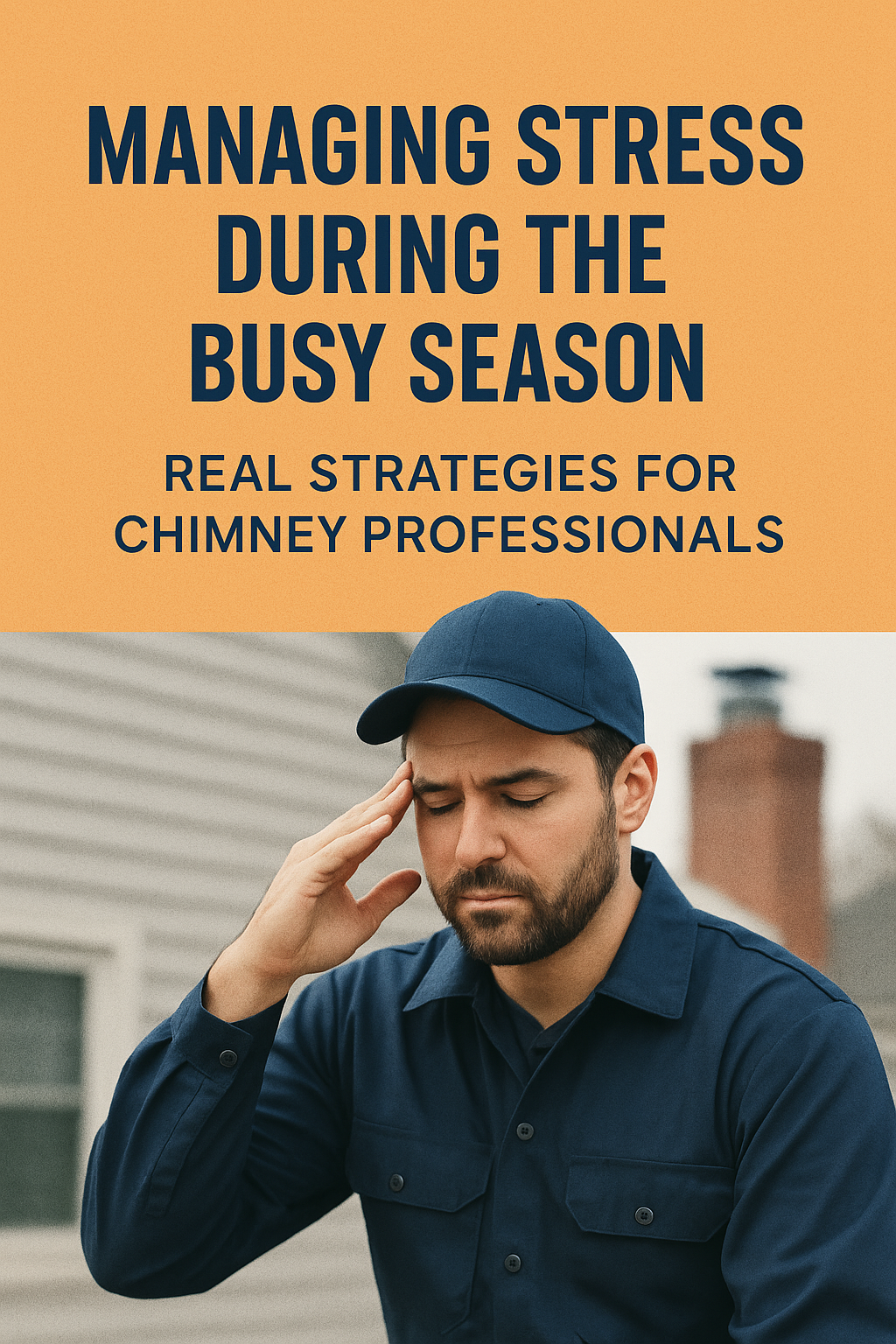
🔥 Managing Stress During the Busy Season: Real Strategies for Chimney Professionals The busy season in the chimney and inspection world can feel like a marathon - long hours, nonstop calls, and the constant pressure to keep up with demand. While it’s a great problem to have, it can take a real toll on focus, patience, and health if left unchecked. Managing stress isn’t about pretending the workload is easy - it’s about building habits that help you stay clear-headed, steady, and safe while you do what you do best. Here are a few research-backed, practical strategies that fit right into the rhythm of a chimney professional’s day. 1. Use Micro-Breaks, Not Marathon Breaks You might not have time for a day off during peak season, but that doesn’t mean you can’t rest your brain. Research from the University of Illinois shows that brief mental resets every 90 minutes help prevent burnout and boost focus. Try this between jobs or while waiting for a customer: Take a slow walk to your truck or around the block. Stretch your shoulders and hands. Take five deep breaths before starting the next inspection. Tiny breaks restore mental clarity - no vacation required. 2. Reduce Decision Fatigue with Routines A major source of stress is decision fatigue - the hundreds of small choices you make each day about scheduling, reporting, or communication. The key is to automate or standardize as much as possible. Start with a consistent morning routine: same prep order, same route habits. Then, standardize field notes and report steps. The fewer small decisions you make, the more energy you save for the big ones - like safety calls or complex repairs. 3. Fuel for Focus Your brain burns energy fast - especially when you’re on roofs, ladders, or long drives all day. Stable blood sugar helps maintain concentration and patience. Quick, realistic fixes: Keep a small cooler in your truck with high-protein snacks. Use electrolyte packets instead of extra caffeine for steady hydration. Avoid skipping lunch - even 10 minutes with a sandwich beats running on fumes. Think of food as a tool for focus, not just fuel. 4. Shift How You Think About Stress Not all stress is bad. Research from Stanford University shows that when people view stress as a challenge rather than a threat, they perform better and feel more resilient. When you feel that pressure building, pause and remind yourself: “This rush means people trust me with their homes. I can take this one job at a time.” Reframing doesn’t erase stress - it channels it into confidence. 5. Create a Simple End-of-Day Reset Busy days don’t end when you clock out - your brain can stay in work mode long after. To wind down, try one or two of these quick rituals: Review tomorrow’s schedule so your brain stops rehearsing it at night. Write down one thing that went well today. Physically clean your workspace or truck as a signal that the day is done. Even a five-minute routine helps your body and mind switch from “go mode” to “rest mode.” 6. Stay Connected - Even Briefly Stress feels heavier when carried alone. Connection lightens the load. That might mean a quick check-in with your dispatcher, chatting with a fellow sweep, or sending a “good job” text to your team. Research consistently shows that social support buffers stress - even if it’s just a few minutes of genuine contact during a long day. 🧭 Final Thoughts The busy season doesn’t have to break you - it can sharpen you. By adding small, science-backed habits to your routine, you build resilience that lasts long after the rush is over. Because thriving in this industry isn’t just about strong ladders or solid reports - it’s about staying strong yourself.
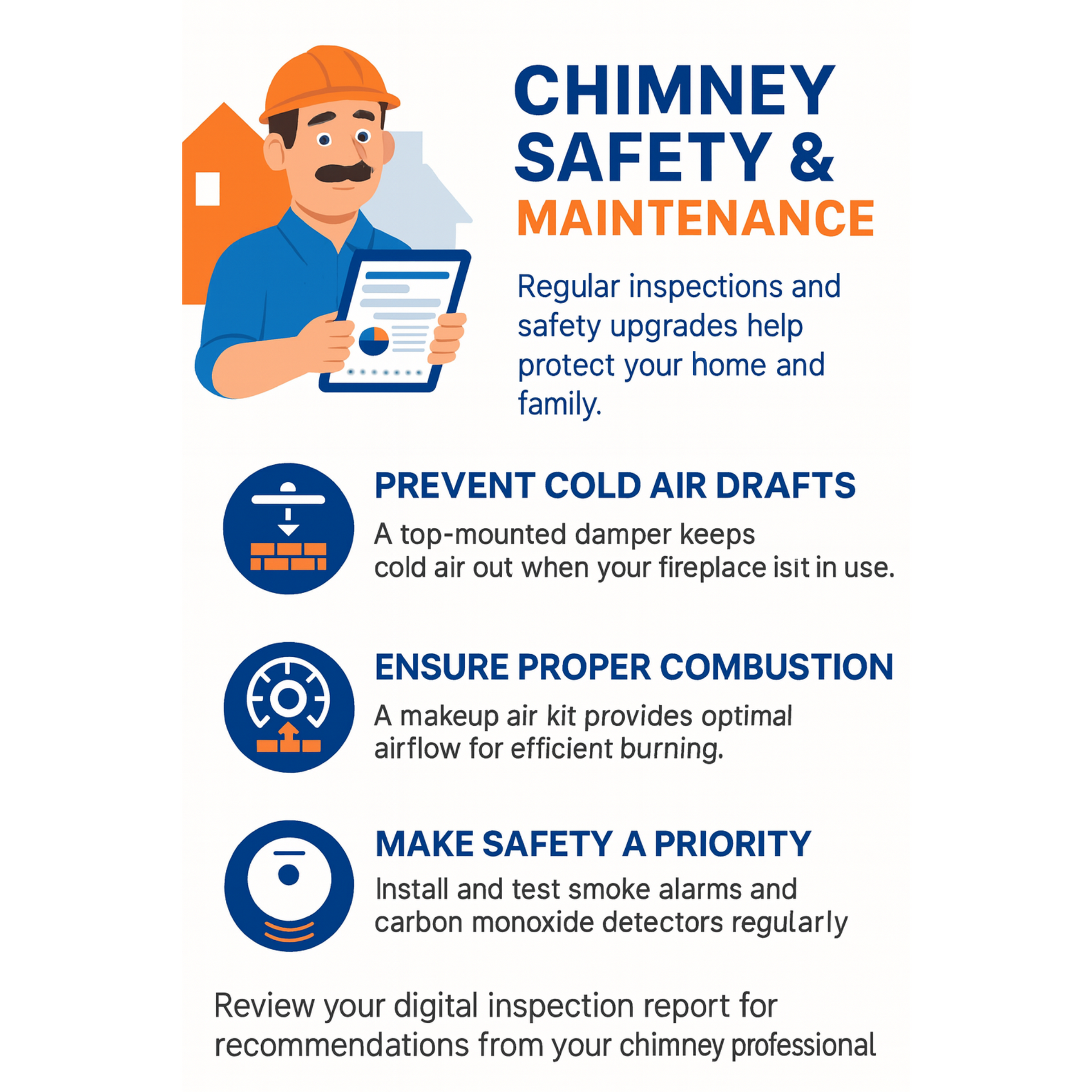
When it comes to keeping families safe and homes comfortable, your fireplace and chimney system play a big role. Jim Ferguson, a veteran in the chimney industry, has shared valuable insights on why regular maintenance and inspections are essential. Here’s what homeowners need to know: Why Regular Inspections Matter Chimneys and fireplaces should be checked regularly to meet current safety standards and prevent problems before they become dangerous. As the technician, your reports play a vital role in highlighting any safety concerns and recommending solutions. Key Recommendations for Homeowners: Prevent Cold Air Drafts
Installing a top-mounted chimney damper keeps cold air out when the fireplace isn’t in use, improving comfort and energy efficiency. Unused Flues? Keep Them Airtight
An airtight damper on unused flues helps stop cold air infiltration, keeping your home warmer and reducing energy loss. Ensure Proper Combustion Air Supply
A makeup air kit ensures your fireplace gets the air it needs for clean, efficient combustion - especially important in tightly sealed homes. Address Smoke Odors
If you experience smoke odors from crossover drafts, your chimney professional may recommend additional sealing or flue relining after installing dampers. Family Safety Comes First Jim emphasizes the importance of installing and regularly testing smoke alarms and carbon monoxide detectors. These devices provide early warnings and can save lives in the event of a chimney or fireplace issue. Final Word Regular chimney inspections and the right safety upgrades protect your home, your energy costs, and — most importantly — your family. With comprehensive chimney reports, chimney professionals can deliver clear, comprehensive reports so homeowners can make informed decisions about their home’s safety and comfort.